



3.8
Trial version
Brava Desktop
Easy to use viewer
View an ad to download for free
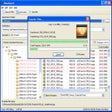
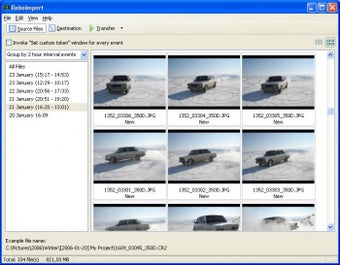
RoboImport downloads your digital images straight from a digital memory card or a digital camera, renames them, and automatically perform's a number of image editing operations during transferring to your PC.
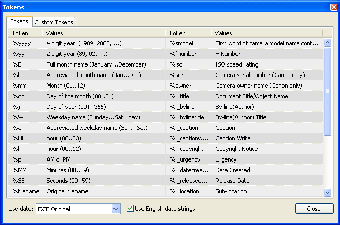
RoboImport allows you to rename files with the help of a flexible renaming system. This system prevents you from name duplicating and puts a short info to a file name, such as brief camera model name, picture date and time, etc. For example: 2005-01-31_12-98-12_350D.jpg.
High-end digital cameras take photos in both JPEG and RAW file formats. JPEG uses lossy compression and may affect colors and resolution. The photo may be blurred or bled for no reason. A RAW file is not compressed, and captures the image with neither resolution nor color losses, giving more flexibility and higher quality in addition to the exposure adjustments. RoboImport allows you to transfer the RAW files to folders separately from JPEGs.
All your photos will be rotated correctly. No additional software is required to perform batch rotating of your images. Rotation is fast and does not degrade photos (lossless rotate). The application supports JPEG images and EXIF thumbnail, as well as corrects EXIF orientation tag.
Trial version
1.2.0.60
Windows
Windows 2003
327
4.71 MB
View an ad to download for free
Have you tried RoboImport? Be the first to leave your opinion!
Add reviewEasy to use viewer
View, edit, and organize your digital photos in seconds

Crop and color correct jpeg images

Picture Dude Image Uploader: Streamlined Photo Editing and Sharing
Distort your pictures and produce surreal effects
Compact image viewer and editor
Image resizer loaded with features
Analyse your stock portfolio
Over 10,000 ready to use graphics that are perfect for web design

Speed up the creation of graphics for the web

Produce dazzling banners, animations and buttons with ease
Create Stunning Web Pages with Ease